|
導(dǎo)讀微信小程序,簡(jiǎn)稱小程序,英文名Mini Program,是一種不需要下載安裝即可使用的應(yīng)用,它實(shí)現(xiàn)了應(yīng)用“觸手可及”的夢(mèng)想,用戶掃一掃或搜一下即可打開應(yīng)用。小程序是一種不用下載就能使用的應(yīng)用,也是一... 微信小程序,簡(jiǎn)稱小程序,英文名Mini Program,是一種不需要下載安裝即可使用的應(yīng)用,它實(shí)現(xiàn)了應(yīng)用“觸手可及”的夢(mèng)想,用戶掃一掃或搜一下即可打開應(yīng)用。小程序是一種不用下載就能使用的應(yīng)用,也是一項(xiàng)門檻非常高的創(chuàng)新,經(jīng)過(guò)將近兩年的發(fā)展,已經(jīng)構(gòu)造了新的小程序開發(fā)環(huán)境和開發(fā)者生態(tài)。 這篇文章主要介紹了微信小程序wx.uploadfile 本地文件轉(zhuǎn)base64的實(shí)現(xiàn)方法,文中通過(guò)代碼講解給大家介紹的非常詳細(xì),具有一定的參考借鑒價(jià)值,需要的朋友可以參考下微信小程序wx.uploadfile, 利用PHP接口把本地圖片轉(zhuǎn)化為base64位。 網(wǎng)上到處都是粘貼復(fù)制的wx.uploadfile的解決方案, 但目前還沒(méi)有具體的代碼: 特意呈現(xiàn)出來(lái)給需要的伙伴們:
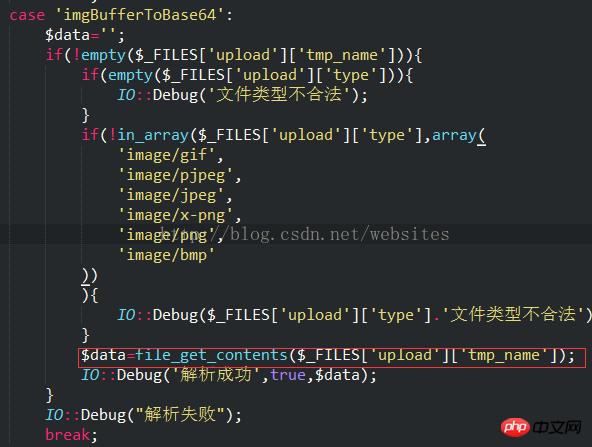
代碼: case 'imgBufferToBase64':
<span style="white-space: pre;"> </span>$data='';
<span style="white-space: pre;"> </span>file_put_contents("1.txt",var_export($_FILES,true)."\r\n",FILE_APPEND);
<span style="white-space: pre;"> </span>if(!empty($_FILES['upload']['tmp_name'])){
<span style="white-space: pre;"> </span>if(empty($_FILES['upload']['type'])){
<span style="white-space: pre;"> </span>IO::Debug('文件類型不合法');
<span style="white-space: pre;"> </span>}
<span style="white-space: pre;"> </span>if(!in_array($_FILES['upload']['type'],array(
<span style="white-space: pre;"> </span>'image/gif',
<span style="white-space: pre;"> </span>'image/pjpeg',
<span style="white-space: pre;"> </span>'image/jpeg',
<span style="white-space: pre;"> </span>'image/x-png',
<span style="white-space: pre;"> </span>'image/png',
<span style="white-space: pre;"> </span>'image/bmp'
<span style="white-space: pre;"> </span>))){
<span style="white-space: pre;"> </span>IO::Debug($_FILES['upload']['type'].'文件類型不合法');
<span style="white-space: pre;"> </span>}
<span style="white-space: pre;"> </span>$data=file_get_contents($_FILES['upload']['tmp_name']);
<span style="white-space: pre;"> </span>file_put_contents("1.txt",var_export($data,true)."\r\n",FILE_APPEND);
<span style="white-space: pre;"> </span>IO::Debug('解析成功',true,$data);
<span style="white-space: pre;"> </span>}
<span style="white-space: pre;"> </span>IO::Debug("解析失敗");
break;js代碼: wx.uploadFile({
url: 'https://' + app.globalData.host + '/api/?sign=' + sign,
filePath: tempFilePaths[0],
name: 'upload',
header: {
"content-type": "multipart/form-data",
"content-type": "application/x-www-form-urlencoded"
},
formData: formData,
success: function (res) {
<span style="white-space: pre;"> </span>var $data = JSON.parse(res.data);
if (typeof ($data.data) != "undefined" && $data.code){
var imgBase64 = "data:image/jpeg;base64," + $data.data;
}
}
})以上就是本文的全部?jī)?nèi)容,希望對(duì)大家的學(xué)習(xí)有所幫助,更多相關(guān)內(nèi)容請(qǐng)關(guān)注PHP中文網(wǎng)! 相關(guān)推薦: 微信小程序 es6-promise.js封裝請(qǐng)求與處理異步進(jìn)程 微信小程序網(wǎng)絡(luò)請(qǐng)求wx.request的介紹 以上就是微信小程序wx.uploadfile 本地文件轉(zhuǎn)base64的實(shí)現(xiàn)代碼的詳細(xì)內(nèi)容,更多請(qǐng)關(guān)注php中文網(wǎng)其它相關(guān)文章! 小程序是一種不需要下載安裝即可使用的應(yīng)用,它實(shí)現(xiàn)了應(yīng)用“觸手可及”的夢(mèng)想,用戶掃一掃或者搜一下即可打開應(yīng)用。 |
溫馨提示:喜歡本站的話,請(qǐng)收藏一下本站!
本站發(fā)布的Win7純凈版系統(tǒng)、Win10純凈版和XP純凈版系統(tǒng)僅為個(gè)人學(xué)習(xí)測(cè)試使用,請(qǐng)?jiān)谙螺d后24小時(shí)內(nèi)刪除,不得用于任何商業(yè)用途,否則后果自負(fù),請(qǐng)支持購(gòu)買微軟正版軟件!
本站所有資源全部來(lái)自于網(wǎng)絡(luò)資源,如侵犯到您的權(quán)益,請(qǐng)及時(shí)通知我們(peng896066052@126.com),我們會(huì)及時(shí)處理.
Copyright © 2018-2020 雨林木風(fēng)下載站