|
導(dǎo)讀微信小程序,簡(jiǎn)稱小程序,英文名Mini Program,是一種不需要下載安裝即可使用的應(yīng)用,它實(shí)現(xiàn)了應(yīng)用“觸手可及”的夢(mèng)想,用戶掃一掃或搜一下即可打開(kāi)應(yīng)用。小程序是一種不用下載就能使用的應(yīng)用,也是一... 微信小程序,簡(jiǎn)稱小程序,英文名Mini Program,是一種不需要下載安裝即可使用的應(yīng)用,它實(shí)現(xiàn)了應(yīng)用“觸手可及”的夢(mèng)想,用戶掃一掃或搜一下即可打開(kāi)應(yīng)用。小程序是一種不用下載就能使用的應(yīng)用,也是一項(xiàng)門(mén)檻非常高的創(chuàng)新,經(jīng)過(guò)將近兩年的發(fā)展,已經(jīng)構(gòu)造了新的小程序開(kāi)發(fā)環(huán)境和開(kāi)發(fā)者生態(tài)。 這篇文章主要為大家詳細(xì)介紹了微信小程序之電影影評(píng)小程序制作代碼,具有一定的參考價(jià)值,感興趣的小伙伴們可以參考一下本文實(shí)例為大家分享了微信小程序制作影評(píng)小程序的具體代碼,供大家參考,具體內(nèi)容如下 這是博主的項(xiàng)目包含的文件截圖:
首先如圖建立文件夾和page頁(yè)面 然后app.json頁(yè)面更新代碼如下: {
"pages": [
"pages/hotPage/hotPage",
"pages/comingSoon/comingSoon",
"pages/search/search",
"pages/more/more"
],
"window": {
"backgroundTextStyle": "light",
"navigationBarBackgroundColor": "#fff",
"navigationBarTitleText": "WeChat",
"navigationBarTextStyle": "black"
},
"tabBar": {
"list": [{
"pagePath": "pages/hotPage/hotPage",
"text": "本地?zé)嵊?quot;
},{
"pagePath": "pages/comingSoon/comingSoon",
"text": "即將上映"
},{
"pagePath": "pages/search/search",
"text": "影片搜索"
}]
}
}是app.wxss頁(yè)面(為后面的頁(yè)面樣式寫(xiě)的): /**app.wxss**/
.container {
height: 100%;
display: flex;
flex-direction: column;
align-items: center;
justify-content: space-between;
padding: 200rpx 0;
box-sizing: border-box;
}
/* hotPage.wxss */
.movies{
display:flex;
}
.myimage{
flex: 1;
}
.moveInfo{
flex: 2;
}
.yanyuanlist{
display:flex;
}
.left{
flex:1;
}
.right{
flex:2;
}頁(yè)面顯示如圖:
然后是hotPage.wxml頁(yè)面: <view class="movies" wx:for="{{movies}}" id="{{item.id}}" bindtap="jumpTomore">
<view class="myimage">
<image src="{{item.images.medium}}"></image>
</view>
<view class="moveInfo">
<view class="title">
名稱:{{item.title}}
</view>
<view class="daoyan">
導(dǎo)演:{{item.directors["0"].name}}
</view>
<view class="yanyuanlist">
<view class="left">演員:</view>
<view class="right">
<block wx:for="{{item.casts}}">{{item.name}} </block>
</view>
</view>
<view class="fenlei">
分類:{{item.genres}}
</view>
<view class="year">
上映時(shí)間:{{item.year}}
</view>
</view>
</view>然后是hotPage.js頁(yè)面: var that;
var page = 0;
// more.js
Page({
/**
* 頁(yè)面的初始數(shù)據(jù)
*/
data: {
movies: []
},
/**
* 生命周期函數(shù)--監(jiān)聽(tīng)頁(yè)面加載
*/
onLoad: function (options) {
that = this;
that.linkNet(0);
},
jumpTomore: function (e) {
console.log(e.currentTarget.id);
wx.navigateTo({
url: '/pages/more/more?id=' + e.currentTarget.id,
})
},
linkNet: function (page) {
wx.request({
header: {
"Content-Type": "json"
},
url: 'https://api.douban.com/v2/movie/in_theaters',
data: {
start: 10 * page,
count: 10,
city: '成都'
},
success: function (e) {
console.log(e);
if (e.data.subjects.length == 0) {
wx.showToast({
title: '沒(méi)有更多數(shù)據(jù)',
})
} else {
that.setData({
movies: that.data.movies.concat(e.data.subjects)
})
}
}
})
},
onReachBottom: function () {
that.linkNet(++page);
}
})運(yùn)行程序結(jié)果如圖:
然后是hotPage.wxss: image{
width:350rpx;
height:280rpx;
}接著是第二個(gè)頁(yè)面的布局和第一個(gè)頁(yè)面一樣,所以直接把第一個(gè)頁(yè)面hotPage.wxml代碼copy過(guò)來(lái)就好了;
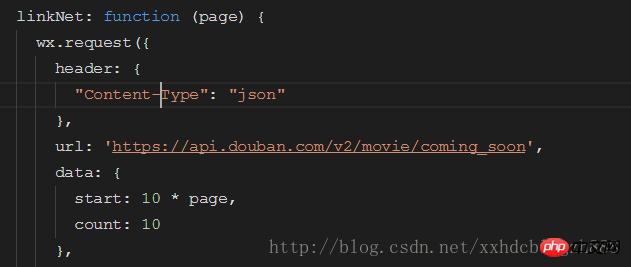
url和data改一下就好了 .wxss代碼一致; 運(yùn)行結(jié)果如下:
接著是第三個(gè)頁(yè)面的代碼: search.wxml頁(yè)面代碼: <input placeholder="輸入關(guān)鍵字" bindinput="myInput" />
<button bindtap="mySearch">搜索</button>
<view class="movies" wx:for="{{movies}}" id="{{item.id}}" bindtap="jumpTomore">

 <view class="myimage">
 <image src="{{item.images.medium}}"></image>
 </view>
 <view class="moveInfo">
 <view class="title">
 名稱:{{item.title}}
 </view>
 <view class="daoyan">
 導(dǎo)演:{{item.directors["0"].name}}
 </view>
 <view class="yanyuanlist">
 <view class="left">演員:</view>
 <view class="right">
 <block wx:for="{{item.casts}}">{{item.name}} </block>
 </view>
 </view>
 <view class="fenlei">
 分類:{{item.genres}}
 </view>
 <view class="year">
 上映時(shí)間:{{item.year}}
 </view>
 </view>

</view>頁(yè)面代碼: var input;
var that;
// search.js
Page({
/**
* 頁(yè)面的初始數(shù)據(jù)
*/
data: {
movies: []
},
/**
* 生命周期函數(shù)--監(jiān)聽(tīng)頁(yè)面加載
*/
onLoad: function (options) {
that = this;
},
myInput: function (e) {
input = e.detail.value;
},
mySearch: function () {
wx.request({
header: {
"Content-Type": "json"
},
url: 'https://api.douban.com/v2/movie/search?q=' + input,
success: function (e) {
that.setData({
movies: e.data.subjects
})
}
})
}
}).wxss代碼同hotPage.wxss代碼一致; 運(yùn)行代碼結(jié)果如下:
最后是詳情頁(yè)面,點(diǎn)擊影片后會(huì)跳轉(zhuǎn)到詳情頁(yè)面獲得影片的詳細(xì)信息: more.wxml頁(yè)面代碼: <!--more.wxml-->
<image src="{{imageUrl}}"></image>
<view class="moveInfo">
<view class="title">名字:{{title}}</view>
<view class="director">導(dǎo)演:{{director}}</view>
<view class="castleft">主演:</view>
<view class="casts" wx:for="{{casts}}">
<block class="castright">{{item.name}}</block>
</view>
<view class="year">年份:{{year}}</view>
<view class="rate">評(píng)分:{{rate}}</view>
<view class="summary">介紹:{{summary}}</view>
</view>more.js代碼: var that;
// more.js
Page({
/**
* 頁(yè)面的初始數(shù)據(jù)
*/
data: {
title: 0,
imageUrl: 0,
director: 0,
casts: [],
year: 0,
rate: 0,
summary: 0
},
/**
* 生命周期函數(shù)--監(jiān)聽(tīng)頁(yè)面加載
*/
onLoad: function (options) {
that = this;
wx.request({
header: {
"Content-Type": "json"
},
url: 'https://api.douban.com/v2/movie/subject/' + options.id,
success: function (e) {
console.log(e)
that.setData({
title: e.data.original_title,
imageUrl: e.data.images.large,
director: e.data.directors["0"].name,
casts: e.data.casts,
year: e.data.year,
rate: e.data.rating.average,
summary: e.data.summary
})
}
})
}
})運(yùn)行代碼結(jié)果如下:
以上就是電影影評(píng)小程序?qū)嵗_(kāi)發(fā)簡(jiǎn)介的詳細(xì)內(nèi)容,更多請(qǐng)關(guān)注php中文網(wǎng)其它相關(guān)文章! 小程序是一種不需要下載安裝即可使用的應(yīng)用,它實(shí)現(xiàn)了應(yīng)用“觸手可及”的夢(mèng)想,用戶掃一掃或者搜一下即可打開(kāi)應(yīng)用。 |
溫馨提示:喜歡本站的話,請(qǐng)收藏一下本站!
本站發(fā)布的Win7純凈版系統(tǒng)、Win10純凈版和XP純凈版系統(tǒng)僅為個(gè)人學(xué)習(xí)測(cè)試使用,請(qǐng)?jiān)谙螺d后24小時(shí)內(nèi)刪除,不得用于任何商業(yè)用途,否則后果自負(fù),請(qǐng)支持購(gòu)買(mǎi)微軟正版軟件!
本站所有資源全部來(lái)自于網(wǎng)絡(luò)資源,如侵犯到您的權(quán)益,請(qǐng)及時(shí)通知我們(peng896066052@126.com),我們會(huì)及時(shí)處理.
Copyright © 2018-2020 雨林木風(fēng)下載站